





Build a Product Reveal
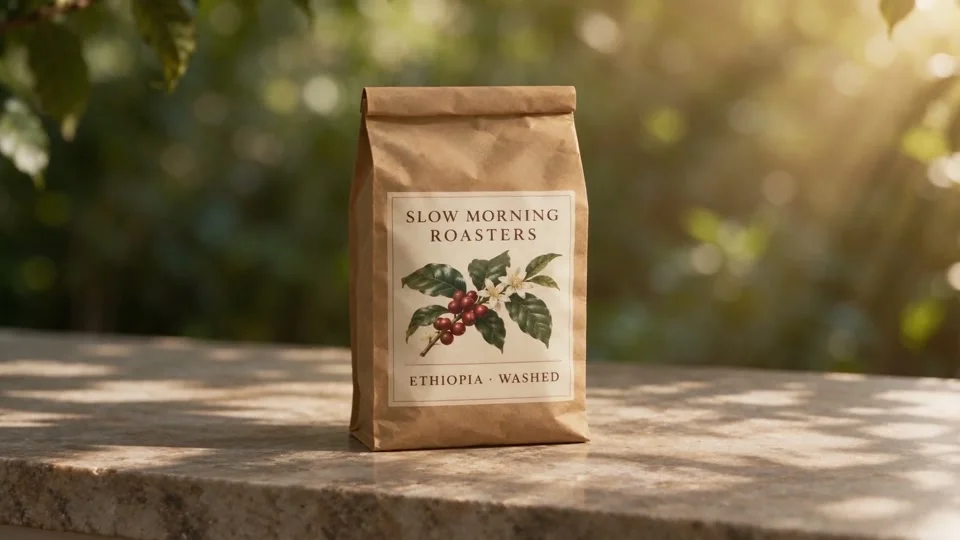
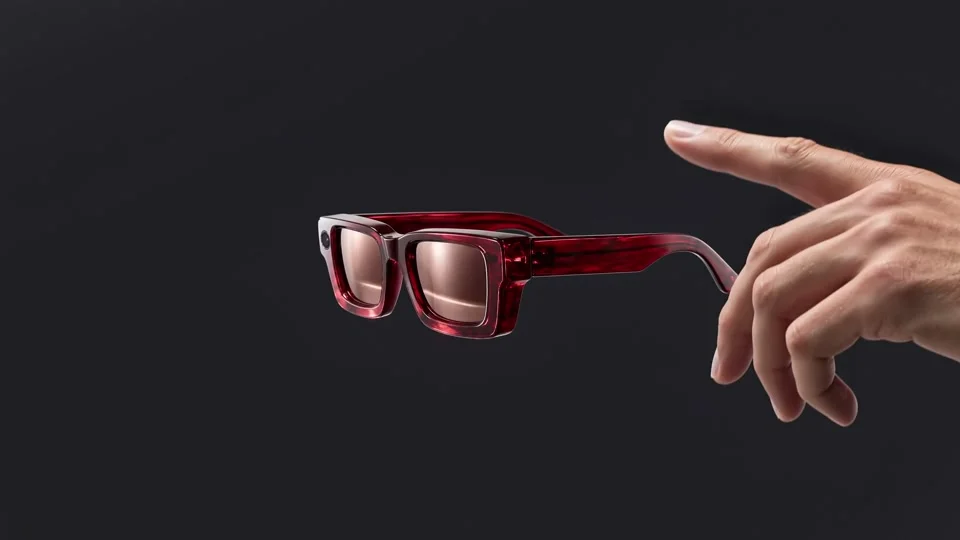
Ad teams | Product reveal. Upload a product photo, tell Seedance 2.5 how it should be revealed, and pick 5 seconds for an ad insert.
Shot ideas
- Bottles
- Coffee
- Shoes
- Lamps
These Seedance 2.5 examples were made outside VideoFX; some of the settings listed under them aren’t available here.
An owl approaches, lands on a snowy branch, then recedes into a forest valley. The prompt starts with “Wildlife film in falling snow” and asks for the sound of wingbeats and wind. Source settings: 10 seconds, 1080p.
Horses cross a lagoon at sunset, then an aerial shot follows the herd. “Backlit orange spray” defines the light; hooves and splashes define the sound. Source settings: 10 seconds, 1080p.
A hoverbike races through a canyon city at dusk. The prompt opens with “Sci-fi chase” and calls for first-person, tracking and wide shots, with engine whine and wind. Source settings: 10 seconds, 1080p.
Seedance 2.5 generates short video shots from a required text prompt, with optional images, video and audio references. Describe your scene and motion; choose 5, 10 or 15 seconds, up to 1080p. The sample here follows felt animals on a road trip. Its prompt begins “wool-felt animals in a packed car,” with a singing shiba and a cat filming a selfie. A sharp turn sends hats flying. Source settings: 15 seconds, 720p. Seedance 2.5 generates individual shots; assemble the sequence in your video editor.
Each tab shows a different way to start a shot.
The watercolor sample begins “a water rat sculls a small blue-and-white boat,” with a mole aboard. Text directs subject, action and camera.
Text-only input
A picture is optional.
Camera language
Describe framing and movement.
Audio direction
Name ambience or effects.
Pick the shape, length and inputs your edit needs.
Give a reveal or story beat room to play.
Seedance 2.5 offers 480p drafts and 720p or 1080p output.
Choose 1:1, 4:3, 3:4, 16:9, 9:16, 21:9 or Auto.
Keep generated sound or leave space for your soundtrack.
Set how the shot starts and ends with your own images.
Combine your brief with image, video or audio references.
Commercial projects require Business-level access.
Ad teams | Product reveal. Upload a product photo, tell Seedance 2.5 how it should be revealed, and pick 5 seconds for an ad insert.

Social creators | Reel opening. Describe the scene and set 9:16 and 5 seconds for a reel opener.

Filmmakers | Story insert. Seedance 2.5 takes character and location references; choose 16:9, 10 seconds for a bridge shot.

Store owners | Catalog variation. Add a product photo and a short motion prompt to get a 5-second clip for your listing.

Directors | Pitch preview. Upload a storyboard frame, describe the camera move, and run it at 480p for 5 seconds as a concept preview.

Musicians | Mood film. Describe the look, pick 10 seconds, and turn sound off if you’ll add your own score.
Check the idea before raising resolution.
Sign in. Give Seedance 2.5 a subject, action and camera direction. Add optional references.
Select 480p and 5 seconds. Choose framing and sound, then check the credits shown before you submit.
Generate and check the shot. Revise before raising resolution. Downloads for this model require Basic or higher.
What you can upload, what it costs and where the limits are.
VideoFX at videofx.io offers Seedance 2.5, a ByteDance model for generating short video shots. Text is required; references are optional. This page runs Seedance 2.5 only; to compare models side by side, use VideoFX AI Studio, our multi-model workspace.
Clips run 5, 10 or 15 seconds. Basic supports 480p; 720p and 1080p require Pro or higher. Choose 1:1, 4:3, 3:4, 16:9, 9:16, 21:9 or Auto. This page does not offer 30-second or 4K output.
Seedance 2.5 requires Basic or higher; free accounts cannot use this model. Without reference video, credits for 5/10/15 seconds are: 480p, 140/280/420; 720p, 315/630/945; 1080p, 790/1,580/2,370. Sound costs the same on or off. Reference-video quotes cover input plus output duration; check the displayed total. Monthly credits last 30 days; annual credits last 365 days.
For a Seedance 2.5 shot, choose frames mode or reference mode; you can’t use both in one generation. Frames mode takes an opening image and an ending image; reference mode takes up to 9 reference images (up to 10 MiB each), one reference MP4 of 2–15 seconds (up to 50 MiB) and up to 3 audio URLs. A text prompt is always required.
A good Seedance 2.5 prompt names subject, action, camera, light and sound. Describe ambience or effects alongside motion. Generate Audio starts enabled; switch it off for silent footage. Test at 480p for 5 seconds, then revise the brief before raising resolution.
If a Seedance 2.5 generation fails, its credits return automatically. Refunds: ask within 7 days of purchase with under 5% of credits used; you get the unused share minus a 5% fee. Renewals aren’t refundable once a new period starts. Cancel in Settings → Billing and keep access until the period ends. Questions: [email protected].
On VideoFX, Seedance 2.5 prompts can run to 20,480 characters; Seedance 2.0 allows 20,000. Both accept text plus either frames or references, not both in one generation. These are differences in controls, not measured quality comparisons. This page always uses Seedance 2.5; to try other models, open VideoFX AI Studio.
Commercial use needs Business-level access when you generate: a Business subscription, Business Pack or Business Pack Max. Basic and Pro cover personal use only. You also need rights to your inputs and must follow the model provider’s terms.
Compare models or animate a photo.

Seedance 2.5 Video Generator: Make 5–15 Second Shots
0 / 20480
Video generation is available on Basic plan and above.